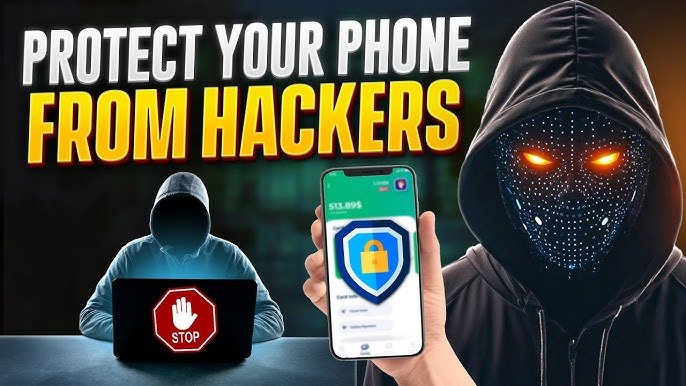

Smartphones have become a huge part of our daily lives. From banking and social media to emails and personal photos, almost everything is stored on our phones. But as technology grows, cyber threats are also increasing. That’s why learning How to Protect Your Phone from Hackers is more important than ever in 2026.
If you think hackers only target big companies, think again. Everyday smartphone users are easy targets. In this guide, you’ll learn simple, practical, and powerful ways to keep your device safe.
Why Phone Security Is Important in 2026
Today’s hackers use advanced tools like phishing scams, malicious apps, fake Wi-Fi networks, and spyware to steal personal data. Whether you use an Android phone or an iPhone, your device can be vulnerable if not properly secured.
Many attacks happen silently in the background. You may not even realize your phone has been hacked until your bank account is compromised or your social media is taken over.
That’s why understanding How to Protect Your Phone from Hackers should be a priority for every smartphone user.
1. Always Keep Your Phone Updated
One of the easiest ways to protect your device is by installing software updates regularly.
For Android users, updates come from Google, while iPhone users receive updates from Apple.
Why updates matter:
- They fix security vulnerabilities.
- They patch bugs hackers exploit.
- They improve overall phone security.
👉 Go to Settings → Software Update and turn on automatic updates.
If you’re serious about learning How to Protect Your Phone from Hackers, never ignore update notifications.
2. Download Apps Only from Official Stores
Avoid downloading apps from unknown websites. Third-party APK files may contain malware or spyware.
Use trusted platforms like:
- Google Play Store
- App Store
Before installing:
- Check app ratings.
- Read reviews.
- Verify the developer name.
- Look at download numbers.
Even in official stores, some malicious apps slip through, so always stay alert.
3. Use Strong Passwords and Biometrics
Weak passwords are a hacker’s best friend.
Avoid:
- 123456
- Your name
- Your birthdate
Instead:
- Use at least 8–12 characters.
- Combine letters, numbers, and symbols.
- Enable fingerprint or face unlock.
You can also use password managers like LastPass or Bitwarden to create and store secure passwords.
Strong authentication is a key part of How to Protect Your Phone from Hackers.
4. Turn On Two-Factor Authentication (2FA)
Two-Factor Authentication adds an extra security layer. Even if hackers get your password, they still need a second verification code.
Enable 2FA on:
- Email accounts
- Social media
- Banking apps
- Cloud storage
Apps like Google Authenticator generate secure one-time codes.
This small step dramatically increases your phone’s protection.
5. Avoid Public Wi-Fi Without Protection
Free Wi-Fi in cafes, airports, or malls may seem convenient, but it’s risky. Hackers can intercept your data through unsecured networks.
If you must use public Wi-Fi:
- Avoid logging into bank accounts.
- Use a VPN.
- Turn off automatic Wi-Fi connections.
Virtual Private Networks encrypt your internet traffic, making it harder for hackers to spy on you.
When discussing How to Protect Your Phone from Hackers, safe internet browsing is always included.
6. Check App Permissions Regularly
Many apps request unnecessary permissions like:
- Access to contacts
- Microphone
- Camera
- Location
Go to:
Settings → Privacy → Permission Manager
Disable permissions that don’t make sense. For example, a calculator app doesn’t need access to your microphone.
Limiting permissions reduces spying risks.
7. Install a Reliable Mobile Security App
Mobile antivirus apps can detect malware, phishing attempts, and suspicious behavior.
Trusted security apps include:
- Avast Mobile Security
- Kaspersky Mobile Security
- McAfee Mobile Security
These apps offer:
- Malware scanning
- Anti-theft features
- App lock protection
- Real-time monitoring
Adding antivirus protection is a smart move if you’re serious about learning How to Protect Your Phone from Hackers.
8. Beware of Phishing Messages
Hackers often send fake emails or SMS messages pretending to be from banks, delivery services, or tech companies.
Red flags:
- Urgent warnings
- Suspicious links
- Poor grammar
- Unknown sender numbers
Never click unknown links. Instead, visit the official website directly.
Phishing remains one of the most common mobile hacking methods in 2026.
9. Enable Find My Device Features
If your phone gets stolen, hackers can access your data.
Enable tracking features:
- Android: Find My Device
- iPhone: Find My iPhone
These tools allow you to:
- Track your phone’s location
- Lock the device remotely
- Erase data
Losing your phone doesn’t mean losing your data — if you prepare in advance.
10. Don’t Root or Jailbreak Your Phone
Rooting (Android) or jailbreaking (iPhone) removes built-in security protections.
While it allows customization, it:
- Disables security layers
- Makes malware installation easier
- Voids warranty
- Blocks some security updates
If security matters to you, avoid rooting your device.
Signs Your Phone May Be Hacked
Even if you follow every step in How to Protect Your Phone from Hackers, it’s important to recognize warning signs:
- Battery draining quickly
- Phone overheating
- Unfamiliar apps installed
- Data usage spikes
- Pop-up ads appearing frequently
If you notice these:
- Run a security scan.
- Remove suspicious apps.
- Change passwords immediately.
- Reset your phone if necessary.
Final Thoughts
In today’s digital world, phone security is not optional — it’s essential. Cyber threats are evolving, but the good news is that you don’t need to be a tech expert to stay safe.
By following the simple steps in this guide, you now understand How to Protect Your Phone from Hackers effectively.
Let’s quickly recap:
✅ Keep software updated
✅ Install apps from trusted sources
✅ Use strong passwords
✅ Enable 2FA
✅ Avoid risky Wi-Fi networks
✅ Monitor app permissions
✅ Install security apps
✅ Stay alert against phishing
If you consistently apply these tips, your phone will be much harder for hackers to target.
Stay smart. Stay secure. And keep visiting apkayz.com for more practical tech guides designed to keep your digital life safe in 2026.