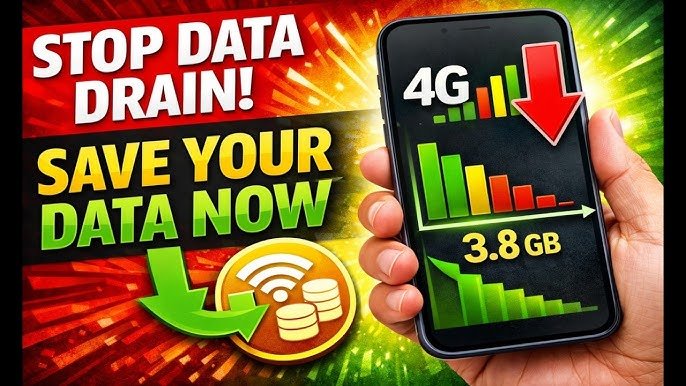

In today’s digital age, staying connected is essential, but mobile data can quickly become expensive if not managed wisely. Whether you’re streaming videos, browsing social media, or working on the go, knowing how to save mobile data & money can make a huge difference for your wallet. In this comprehensive guide, we’ll explore practical strategies, apps, and habits that can help you cut costs without sacrificing connectivity.
Why Saving Mobile Data Matters
Mobile data usage has skyrocketed over the past few years, thanks to streaming apps, cloud services, and heavy internet browsing. Overspending on data not only affects your monthly bills but can also impact your smartphone’s performance and battery life. Learning how to save mobile data & money isn’t just about frugality—it’s about optimizing your phone usage for efficiency.
1. Track Your Data Usage Regularly
The first step to saving data is understanding how much you use. Most smartphones have built-in tools:
- Android Users: Go to Settings > Network & Internet > Mobile Network > Data Usage to monitor your usage.
- iPhone Users: Go to Settings > Cellular > Cellular Data Usage for detailed reports.
By checking your data usage, you can identify which apps consume the most data and adjust accordingly. Tracking usage helps you prevent overage charges, saving you money each month.
2. Use Wi-Fi Whenever Possible
One of the simplest ways to save mobile data is to connect to Wi-Fi whenever available. Cafes, libraries, and even public transport hubs often provide free Wi-Fi. Just make sure the network is secure to protect your personal information.
- Tip: Turn on Wi-Fi Assist only when necessary, as it can switch to mobile data if the Wi-Fi signal is weak.
Using Wi-Fi for heavy tasks like video streaming or app updates can significantly reduce your data consumption, directly helping you save money.
3. Optimize App Settings
Many apps consume more data than you realize. Adjusting settings can dramatically reduce usage:
- Social Media: On apps like Instagram or TikTok, enable data saver mode to limit autoplay videos.
- Streaming Services: Reduce video quality in YouTube, Netflix, or Disney+ settings. Streaming in 720p instead of 1080p can cut data use by half.
- Cloud Backups: Set apps like Google Photos or iCloud to backup only when on Wi-Fi.
By tweaking app settings, you can control data usage while maintaining a smooth online experience.
4. Enable Data Saver Mode
Most smartphones have a built-in Data Saver Mode that restricts background data and limits app activity:
- Android: Settings > Network & Internet > Data Saver
- iPhone: Settings > Cellular > Low Data Mode
When activated, apps will only use data when actively in use, reducing unnecessary consumption. This is a simple yet effective method to save both mobile data & money.
5. Download Content for Offline Use
Downloading content for offline access is a smart way to save mobile data:
- Spotify, YouTube Music, and Apple Music allow offline playlists.
- Netflix, Amazon Prime Video, and Disney+ let you download shows or movies.
- Google Maps and offline GPS apps can store maps for navigation without using data.
By planning ahead and downloading what you need, you avoid streaming repeatedly over mobile data, keeping costs low.
6. Limit Background Data Usage
Many apps run in the background, updating feeds, notifications, and syncing data. Limiting background activity can save a significant amount of mobile data:
- Android: Settings > Apps > [App Name] > Mobile Data > Disable Background Data
- iPhone: Settings > General > Background App Refresh > Turn Off
Focusing data usage only on what matters helps you spend less money and keeps your phone running efficiently.
7. Compress Data and Use Lite Versions of Apps
Several apps offer “lite” versions designed to consume less data:
- Facebook Lite, Twitter Lite, and YouTube Go are excellent options for limited data plans.
- Web browsers like Google Chrome or Opera Mini offer data compression, reducing data usage while browsing.
These lightweight alternatives allow you to use your favorite services without draining your data plan.
8. Avoid Auto-Playing Media
Videos and GIFs auto-playing on social media or websites are major data drains. Disable auto-play features:
- Facebook: Settings > Videos and Photos > Auto-play
- Instagram: Settings > Account > Cellular Data Use > Use Less Data
Stopping auto-play saves data while giving you control over what you watch, helping you save money in the long run.
9. Choose the Right Mobile Plan
Sometimes, the easiest way to save mobile data & money is to select a plan that suits your needs:
- Compare plans from multiple carriers.
- Look for unlimited or high-data packages if you stream or work online heavily.
- Avoid paying for data you don’t use.
A carefully chosen plan can prevent unnecessary overage charges, making data management stress-free.
10. Use Wi-Fi Calling and Messaging Apps
Instead of using mobile data or calling minutes, leverage Wi-Fi for communication:
- Apps like WhatsApp, Telegram, and Messenger let you call and message over Wi-Fi.
- This reduces mobile data consumption and can lower your monthly bills.
Switching to Wi-Fi calling for routine conversations is a simple yet effective way to save.
11. Monitor Data-Hungry Apps
Some apps are surprisingly heavy on data. Keep an eye on apps like video editors, live-streaming platforms, and cloud backups. If possible, restrict their use or schedule them for Wi-Fi-only operation.
12. Clear Cache and Manage Downloads
Cached data and frequent downloads can slowly eat into your data allowance. Periodically:
- Clear app cache on Android (Settings > Storage > Cached Data)
- Delete unused apps and large files
- Use download managers to control and schedule downloads
This practice ensures your data usage is intentional, avoiding hidden expenses.
13. Use Mobile Data Tracking Apps
Several apps can help track and control data usage:
- My Data Manager (Android/iOS): Monitor, track, and alert you when nearing your limit.
- GlassWire (Android/iOS): Visualizes data usage and highlights apps consuming the most.
Data tracking apps give you real-time insights, helping you make informed decisions on usage and save money.
14. Educate Family Members
If you share a family data plan, educating everyone on how to save mobile data & money is crucial. Encourage them to:
- Use Wi-Fi whenever possible
- Avoid heavy streaming on mobile data
- Optimize app settings for data saving
Collective awareness can prevent data overuse and reduce monthly costs significantly.
15. Adopt Smart Browsing Habits
Finally, adopting smart browsing habits can make a notable difference:
- Use mobile-friendly or text-only websites.
- Avoid automatic downloads or excessive image loading.
- Limit background syncing of email or social media.
Small adjustments in browsing behavior add up, allowing you to stay connected without overspending.
Conclusion
Saving mobile data and money doesn’t have to be complicated. By tracking your usage, optimizing apps, using Wi-Fi strategically, and selecting the right plan, you can enjoy seamless connectivity while reducing costs. Implementing these strategies will not only extend your data plan but also teach you how to manage your mobile usage smartly in 2026 and beyond.
Remember, every MB saved counts—and every conscious decision helps your wallet.