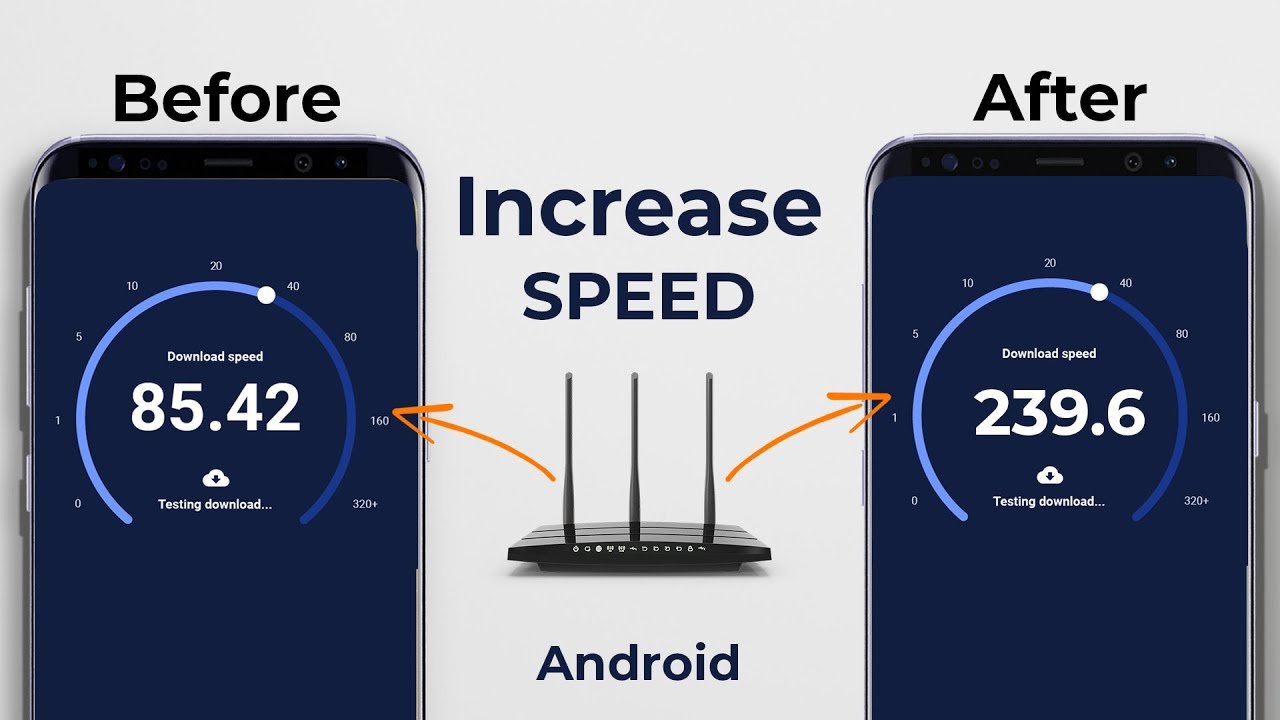

In today’s digital world, mobile internet has become the backbone of communication, work, entertainment, and social connection. Yet, slow internet can disrupt everything from video calls to streaming your favorite shows. The good news? With the right strategies, anyone can learn how to increase internet speed on mobile and enjoy a smoother, faster online experience.
In this guide, we’ll cover practical tips, proven tricks, and the latest 2026 methods to maximize your mobile internet speed.
Why Mobile Internet Speed Matters
Mobile internet speed is no longer just a convenience—it’s a necessity. Whether you are a student, freelancer, gamer, or content creator, slow connectivity can lead to:
- Buffering videos and delayed streams
- Dropped video calls or conference calls
- Slow app downloads and updates
- Poor gaming experience with lag
By understanding how to increase internet speed on mobile, you can overcome these challenges and make your online experience seamless.
1. Check Your Current Mobile Internet Speed
Before making improvements, you should know your baseline speed. Free tools like Speedtest by Ookla, Fast.com, or your network provider’s app can measure:
- Download speed (how fast you receive data)
- Upload speed (how fast you send data)
- Ping or latency (time delay in milliseconds)
Understanding your current speed helps you measure improvements after implementing speed optimization techniques.
2. Optimize Your Mobile Network Settings
Mobile devices often come with default settings that may not be optimized for speed. Here’s how to tweak them:
Switch to 4G or 5G
If your phone supports 5G, enabling it can significantly increase your internet speed. If 5G isn’t available, ensure you’re on a stable 4G LTE network.
Tip: Avoid sticking to 2G networks, which are extremely slow for modern apps.
Toggle Airplane Mode
A quick trick: turning on Airplane Mode for 10–15 seconds and then switching it off forces your phone to reconnect to the fastest available network.
Use Preferred Network Type
On Android: Settings → Connections → Mobile Networks → Network Mode. Select LTE/5G preferred.
On iPhone: Settings → Cellular → Cellular Data Options → Voice & Data. Enable 5G Auto or LTE for speed optimization.
3. Clear Cache and Background Apps
Apps running in the background can consume internet bandwidth. Clearing them helps boost speed.
- Android: Settings → Apps → [Select App] → Storage → Clear Cache
- iPhone: Settings → General → iPhone Storage → Offload Unused Apps
Additionally, close apps that are consuming data in the background.
4. Update Your Mobile Operating System
Outdated software can slow your internet. Always keep your phone updated to the latest version:
- Android: Settings → System → Software Update
- iPhone: Settings → General → Software Update
Updates not only improve internet speed but also enhance security and app performance.
5. Switch to a Faster Browser
Sometimes, the internet feels slow due to the browser. Optimized browsers like Google Chrome, Mozilla Firefox, or Microsoft Edge offer faster page loads.
Lite browsers like Opera Mini or UC Browser Mini can also significantly increase browsing speed, especially on slower connections.
6. Limit High-Bandwidth Apps
Streaming apps like Netflix, YouTube, or Spotify consume large amounts of data. To increase mobile internet speed:
- Pause auto-play videos
- Limit streaming to SD instead of HD
- Close apps running in the background
This frees bandwidth for other apps and tasks.
7. Use Mobile Data Instead of Wi-Fi (When Needed)
Sometimes Wi-Fi can be slower than mobile data due to router distance or network congestion. Switching to your mobile network may improve speed.
- Tip: Compare speeds with a speed test app to decide whether Wi-Fi or mobile data is faster in your area.
8. Change Your DNS Settings
DNS servers translate website addresses into IP addresses. Some DNS servers are faster than others. Using fast DNS servers can speed up your mobile internet.
Recommended Free DNS Servers:
- Google DNS: 8.8.8.8 and 8.8.4.4
- Cloudflare DNS: 1.1.1.1 and 1.0.0.1
How to change DNS on mobile:
- Android: Settings → Network & Internet → Wi-Fi → [Network Name] → Advanced → IP Settings → Static → DNS 1 & DNS 2
- iPhone: Settings → Wi-Fi → [Network] → Configure DNS → Manual → Add Server
9. Use a Mobile Internet Booster App
Some apps help optimize your network connection. They work by:
- Closing bandwidth-hogging apps
- Clearing cache and temp files
- Refreshing network connections
Popular apps for 2026 include Net Optimizer, Internet Speed Booster, and Faster Internet 5G. Always download apps from trusted sources like the Google Play Store or App Store.
10. Reset Network Settings
A network reset can solve many issues. This removes saved Wi-Fi networks and resets mobile data settings, often improving speed.
- Android: Settings → System → Reset Options → Reset Wi-Fi, mobile & Bluetooth
- iPhone: Settings → General → Reset → Reset Network Settings
Tip: Backup important Wi-Fi passwords before resetting.
11. Use Data Compression Techniques
Browsers and apps with built-in compression can reduce data usage and speed up browsing.
- Google Chrome: Enable Lite Mode
- Opera Mini: Built-in data compression
- VPN with Compression: Some VPNs, like Opera VPN, compress data to improve speed
12. Avoid Network Congestion
Internet speed often slows down when many devices share a network. To avoid this:
- Disconnect unused devices from Wi-Fi
- Avoid peak usage hours
- Use a dedicated mobile hotspot for high-priority tasks
13. Check for Signal Boosters or Better Coverage
If you’re in a low-signal area, no amount of optimization can help much. Consider:
- Moving closer to a window or outdoor area
- Using a mobile signal booster
- Switching to a network provider with better coverage in your area
14. Use Wi-Fi Calling Only When Necessary
Wi-Fi calling can sometimes interfere with mobile internet speed. If your network is strong, prefer mobile data for browsing and streaming.
15. Keep Your Device Free from Malware
Malware and adware can drastically slow down mobile internet by using background bandwidth. Protect your device by:
- Installing antivirus apps like Avast Mobile Security or Kaspersky Mobile Security
- Avoiding suspicious links and APKs
- Keeping your OS updated
16. Advanced Techniques to Increase Mobile Internet Speed
For tech-savvy users, there are additional advanced methods:
- Manual APN (Access Point Name) settings: Sometimes changing APN values can boost speed
- Rooted Android Devices: Using custom ROMs optimized for speed
- Network Signal Apps: Monitor tower connectivity and switch to the fastest available
17. Frequently Asked Questions (FAQ)
Q1: Can switching browsers really increase speed?
Yes. Some browsers are optimized to load pages faster, reduce ads, and compress data.
Q2: Will a VPN slow down my mobile internet?
It depends. Free VPNs often reduce speed, but some premium VPNs with optimized servers can maintain speed while offering privacy.
Q3: Is mobile internet speed affected by the device?
Yes. Older devices may not support 5G or latest network optimizations, limiting speed.
18. Summary: How to Increase Internet Speed on Mobile
Increasing mobile internet speed is a combination of software tweaks, device optimization, network adjustments, and smart usage habits. Key takeaways:
- Always measure your speed to know the baseline.
- Enable 4G/5G and preferred network settings.
- Clear cache and background apps regularly.
- Keep your device and apps updated.
- Use fast browsers and limit bandwidth-heavy apps.
- Adjust DNS and consider mobile booster apps.
- Reset network settings if needed.
- Protect your device from malware and optimize network coverage.
By following these strategies, anyone can enjoy faster, more reliable mobile internet in 2026 and beyond. Remember, a faster connection isn’t just about speed—it’s about productivity, entertainment, and staying connected in a world that demands it.